Download Bonjour Beacon
HOSTIP 輸入lan IP
protocol/port:_daap._tcp/3689
password:false
press Add News, 下方Actions press start
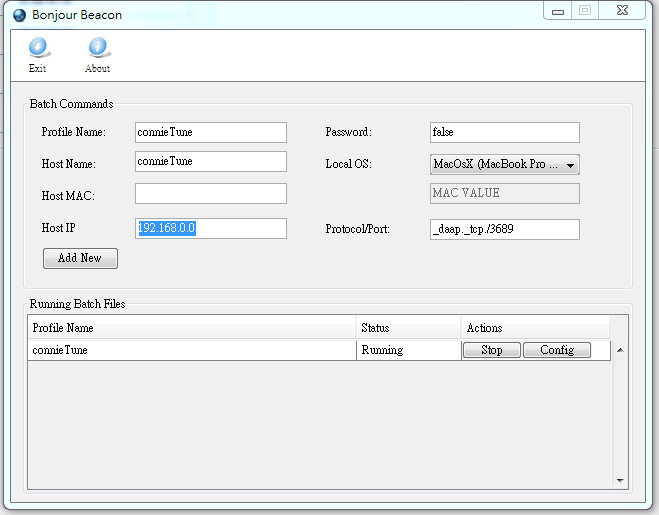

Download Bonjour Beacon
HOSTIP 輸入lan IP
protocol/port:_daap._tcp/3689
password:false
press Add News, 下方Actions press start
Go to ping.tool.org/lastest-hp-ilo-firmwares
Update the firmware to ilo3 1.28version first
SSH to NAS
cat /proc/sys/dev/raid/speed_limit_max
200000
cat /proc/sys/dev/raid/speed_limit_min
1000

echo 20000 > /proc/sys/dev/raid/speed_limit_min

check with cat /proc/mdstat
Before

After

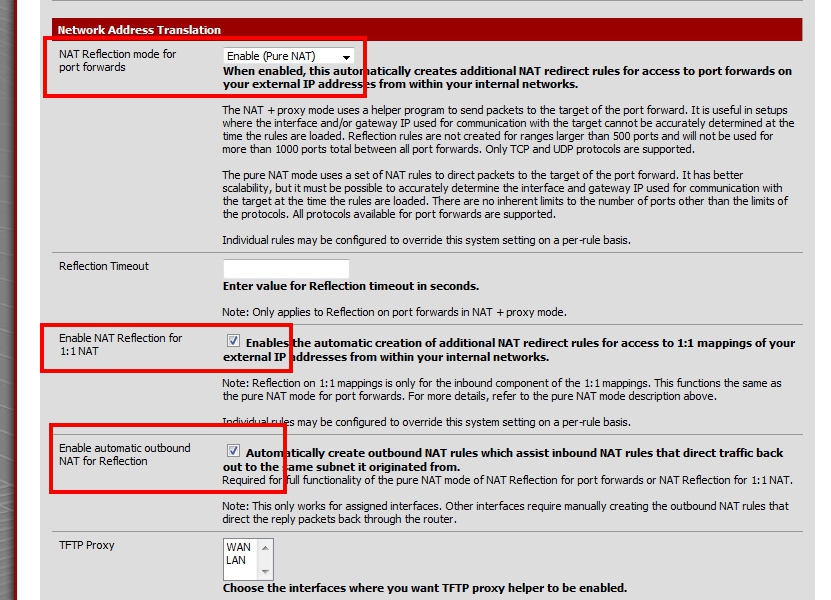
1)Enable NAT relection mode
System>advanced->firewall/nat>nat
enable (pure nat)
tick on enable nat reflection for 1:1 nat
tick on automatic outbound nat for relection
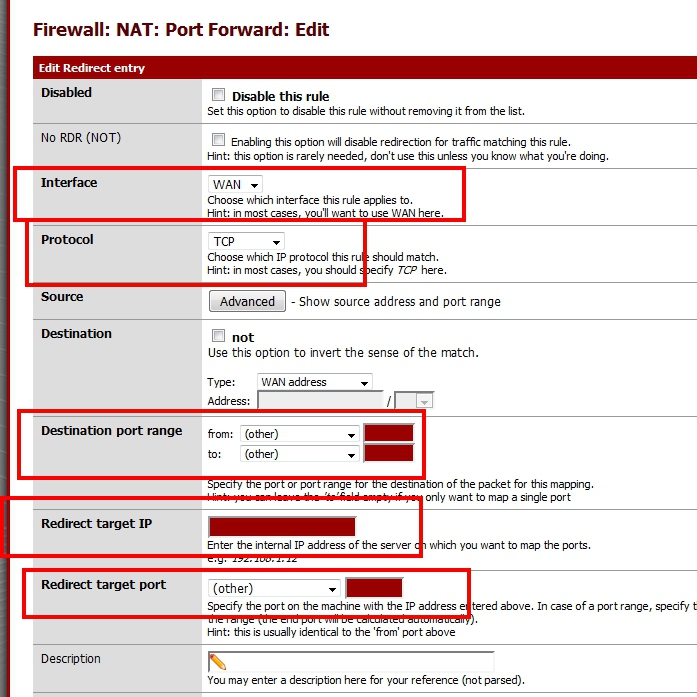
2)forward port
Firewall>nat>port forward
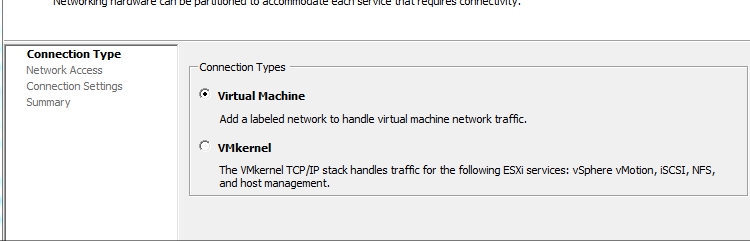
– Configuration>Networking<Add Networking…
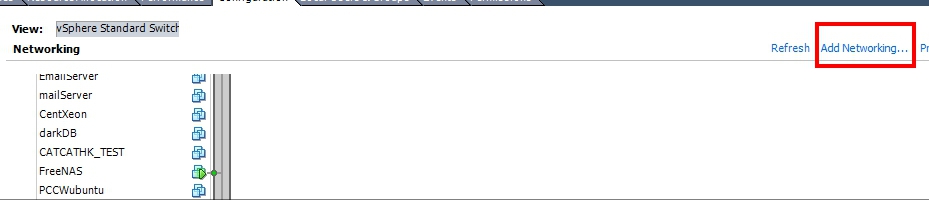 – Virtual Machine
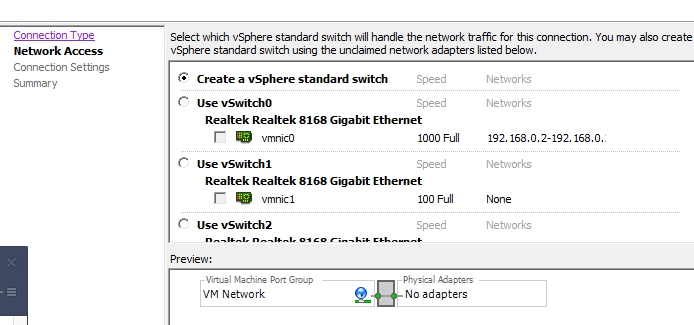
– Create a vSphere standard swtich , without select any physical lan card
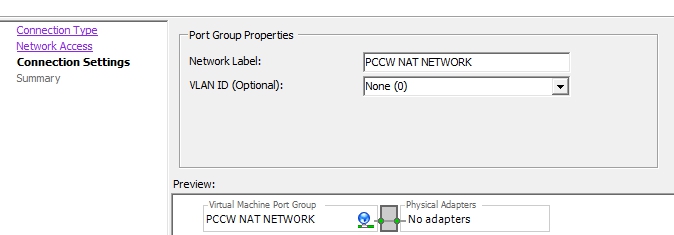
– Change Network Label
– Then create a VM, with the pfsense live CD, and add WAN LAN, and Vlan CARD and setup
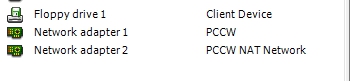
-NAT Client add to the Vlan CARD, and check internet connection
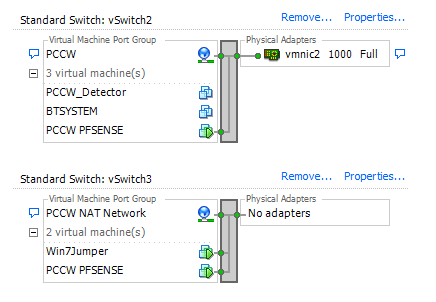
– use nat client login to the pfsense web GUI and change DHCP IP
grub menu 入舊的kernels

apt-get remove linux-server
apt-get update
apt-get -f install
apt-get upgrade

#清理舊的 kernels
apt-get autoremove
yum update

yum install mod_geoip GeoIP GeoIP-devel GeoIP-data zlib-devel

cd/usr/share/GeoIP/
mv GeoIP.dat GeoIP.dat_org
wget http://geolite.maxmind.com/download/geoip/database/GeoLiteCountry/GeoIP.dat.gz
gunzip GeoIP.dat.gz

nano /etc/httpd/conf/httpd.conf
<IfModule mod_geoip.c>
GeoIPEnable On
GeoIPDBFile /usr/share/GeoIP/GeoIP.dat
</IfModule>
nano /var/www/html/testgeoip.php
<?
var_dump(getenv(GEOIP_COUNTRY_NAME))
Error: Cannot retrieve metalink for repository: epel. Please verify its path and try again
nano /etc/yum.repos.d/epel.repo

baseurl=http://download.fedoraproject.org/pub/epel/6/$basearch
#mirrorlist=https://mirrors.fedoraproject.org/metalink?repo=epel-6&arch=$basearch
uncomment baseurl and comment mirror
cmd type in
defaults write com.apple.NetworkBrowser BrowseAllInterfaces 1
killall Finder
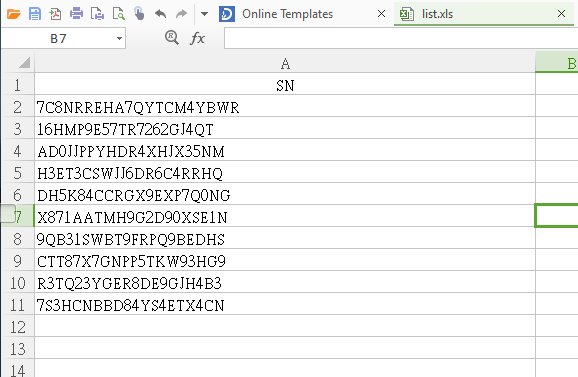
2)開多一個Word, 試位,沒問題就選擇repeat位置
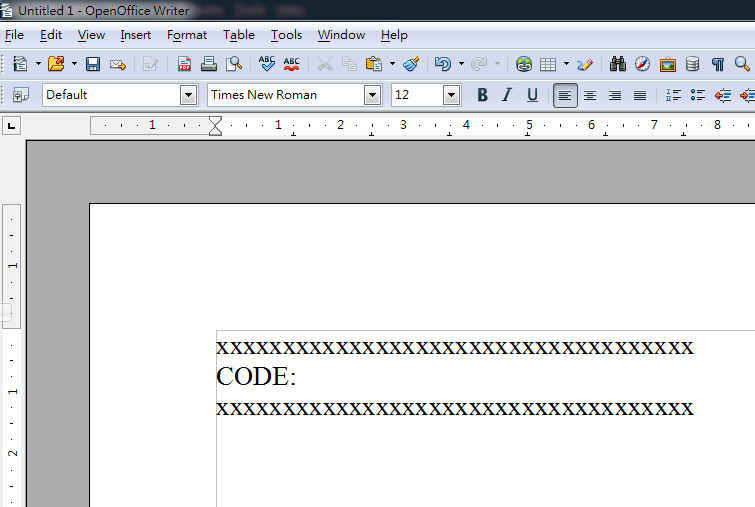
3) Insert repeat Zone Insert->Fields->Other
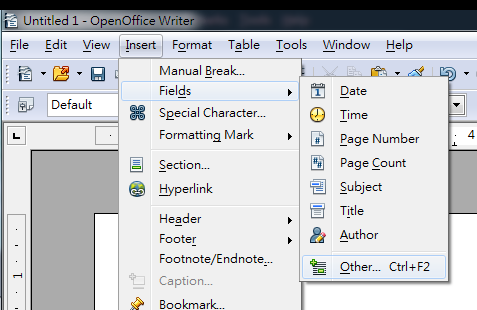
4)Add database file,選擇返剛剛的excel file
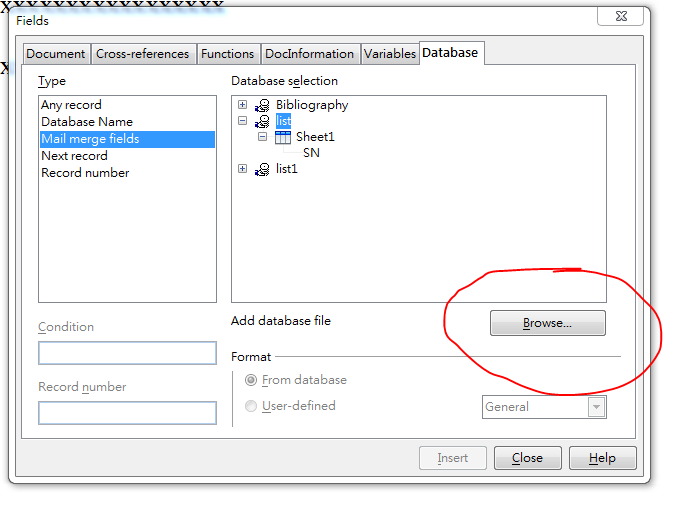
5)Type 選擇Mail merge Fileds , database selection找回剛剛加入的excel , 再找loop 的column
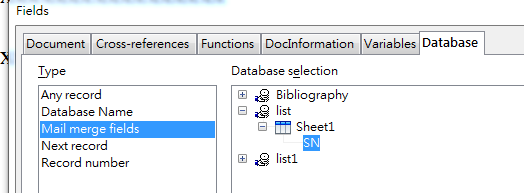
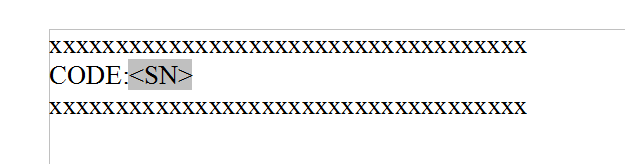
6)成功會如下
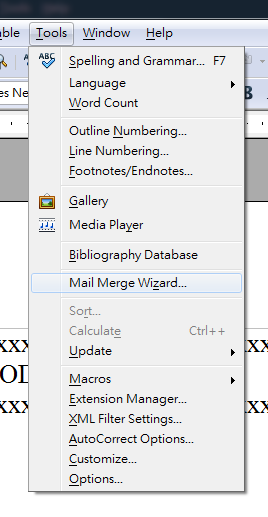
7)之後要preview 一下結果及print , tool->mail merge wizard
8)按presonalize document load一野
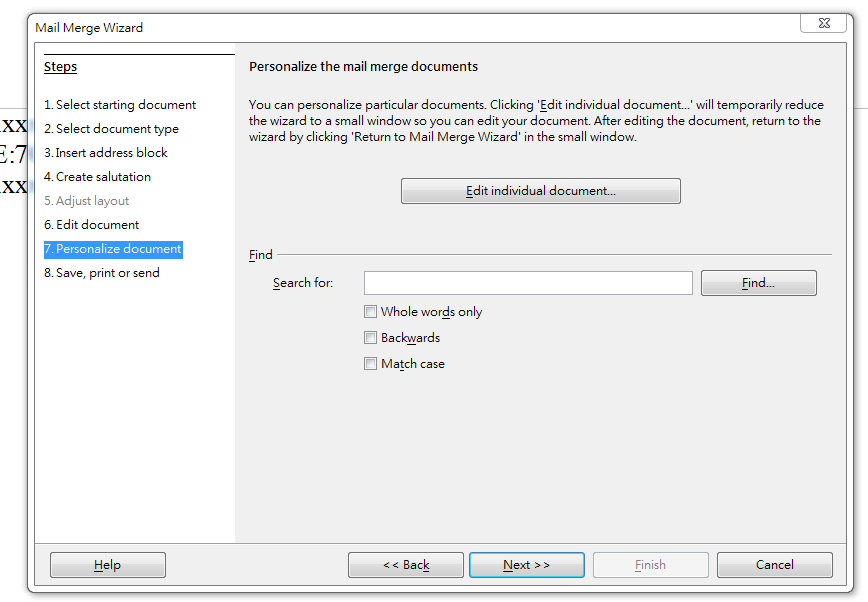
9)save merged document 看看,會生產一堆doc, 看看結果
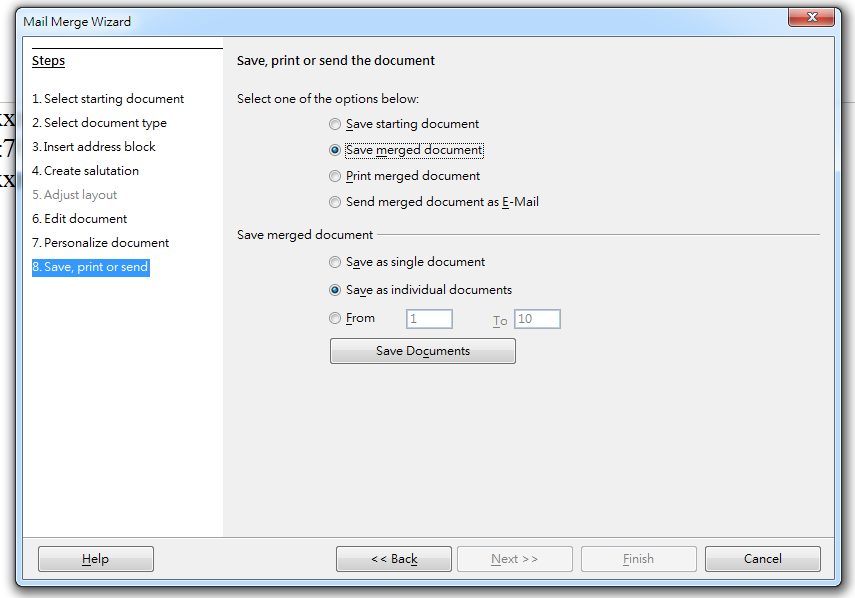
10)最後print

Recent Comments