Get File from remote server
scp [username]@[hostaddress]:/remotefile /newlocalfile
upload File to remote server
scp [localfilename] [username]@[hostaddress]:/newfilename

Get File from remote server
scp [username]@[hostaddress]:/remotefile /newlocalfile
upload File to remote server
scp [localfilename] [username]@[hostaddress]:/newfilename
1]Activate the SSL Module
sudo a2enmod ssl
sudo service apache2 restart
2]create a new directory where we will store the server key and certificate
sudo mkdir /etc/apache2/ssl
3]Create a Self Signed SSL Certificate
this certificate will expire after one year.
sudo openssl req -x509 -nodes -days 365 -newkey rsa:2048 -keyout /etc/apache2/ssl/apache.key -out /etc/apache2/ssl/apache.crt
4]The most important line is “Common Name”. Enter your official domain name here or, if you don’t have one yet, your site’s IP address.
You are about to be asked to enter information that will be incorporated
into your certificate request.
What you are about to enter is what is called a Distinguished Name or a DN.
There are quite a few fields but you can leave some blank
For some fields there will be a default value,
If you enter ‘.’, the field will be left blank.
—–
Country Name (2 letter code) [AU]:US
State or Province Name (full name) [Some-State]:New York
Locality Name (eg, city) []:NYC
Organization Name (eg, company) [Internet Widgits Pty Ltd]:Awesome Inc
Organizational Unit Name (eg, section) []:Dept of Merriment
Common Name (e.g. server FQDN or YOUR name) []:example.com
Email Address []:[email protected]
5]Set Up the Certificate
sudo nano /etc/apache2/sites-available/default-ssl
ServerName example.com:443
SSLEngine on
SSLCertificateFile /etc/apache2/ssl/apache.crt
SSLCertificateKeyFile /etc/apache2/ssl/apache.key
6]Activate the New Virtual Host
sudo a2ensite default-ssl
sudo service apache2 reload
Mac OS X Server Apache 無法存取本機 MySQL Server 解決方式
由 phpinfo 中得知,是將 Mac 中的 PHP 是將 mysql.sock 放在 /var/mysql 下,
而 Mac 中的 MySQL 是放在 /tmp/mysql.sock。
所以要由本機的 Web Server 利用 PHP 連接本機的 MySQL 就會一直出現無法連線的錯誤。
利用底下的指令可以解決這個問題
sudo mkdir /var/mysql
sudo chown mysql /var/mysql
sudo ln -s /tmp/mysql.sock /var/mysql/
當php.ini enable 左 exif extension 但還是用不到的話,
那你要看看extension=php_exif.dll,是否放得前過extension=php_mbstring.dll
因為php_exif.dll需要用到php_mbstring, 所以要放得前過extension=php_exif.dll
restart apache

有時有d server 無nano , 唯有用VI
| Shift + g | 頁尾 |
| :wq | save |
| i | Insert mode |
| ESC | 出返insert mode |
| :q! | quit without save |
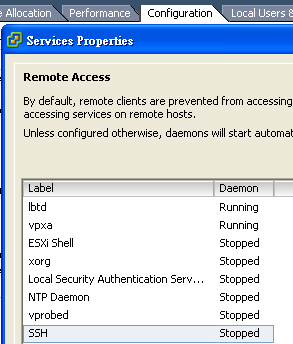
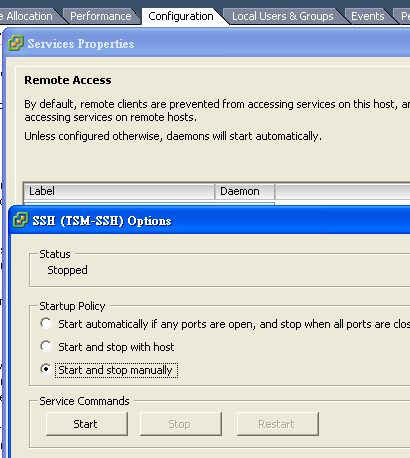
先到ESXi > configuration>Services>Properties>SSH>options
那你可以set default enable ssh access or start manually
cd /usr/local/bin
sudo rm sshfs
sudo rm glib*
sudo rm pkg-config
sudo rm *gettext*
sudo rm *mount*

cd /usr/local/include
sudo rm -r fuse*
sudo rm -r glib-2.0
sudo rm gettext-po.h

cd /usr/local/lib
sudo rm -r pkgconfig
sudo rm -r glib*
sudo rm -r libg*
sudo rm -r *fuse*
sudo rm -r *gettext*

cd /usr/local/share
sudo rm -r glib*
sudo rm -r gettext

cd /System/Library/Extensions
sudo rm -r fusefs.kext

cd /System/Library/Filesystems
sudo rm -r fusefs.fs

sudo touch /System/Library/Extensions
shutdown -r now
如果要外來ip connect 去mysql
要去更改my.cnf
ubuntu 位置為
/etc/mysql/my.cnf
將bind-address 指向要connect 去mysql 的ip

bind-address   = 127.0.0.111
PS: bind-address 不能多於一個,如果多於一個的情況就需要comment 左skip-external-locking 同bind-address,再用firewall block

相信由web designer 轉做web programmer 既人一定試過以下情況,
可以係Dreamweaver到set好remote server資料,一save自己upload,非常方便。
轉到Eclipse後, 同樣可以做到以上方法。
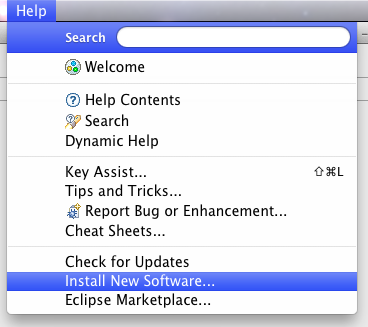
需要install plugin. Help>Install New Software
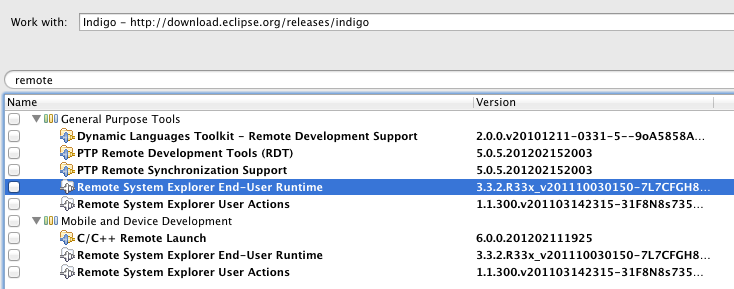
Work with 通常係你eclipse 個version, search remote > install Remote System Explorer End-User Runtime
Install 完後到Window>Show View>Remote Systems按一下,就會有Remote System既window 出尼
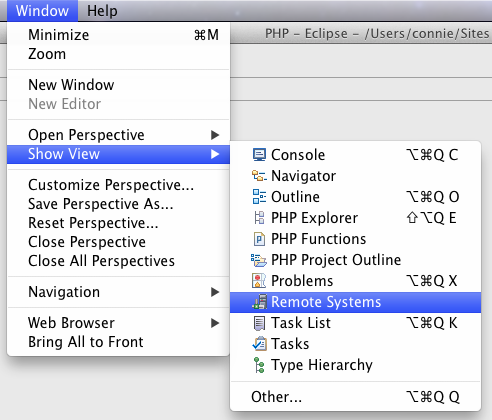
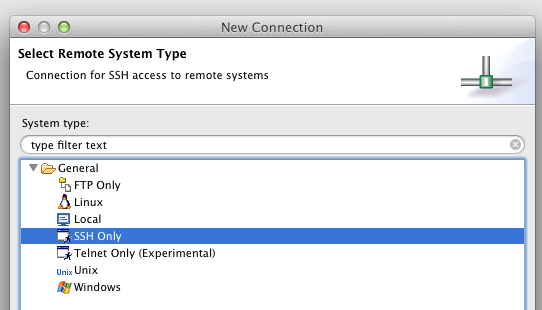
按一下紅圈icon, 以新增一個新server connection.

Either choose one of them. 之後你應該懂了=w=~
如果想Remote 一個Folder 做porject 可以係connect 左server後,右click Folder>Create a Remote Project
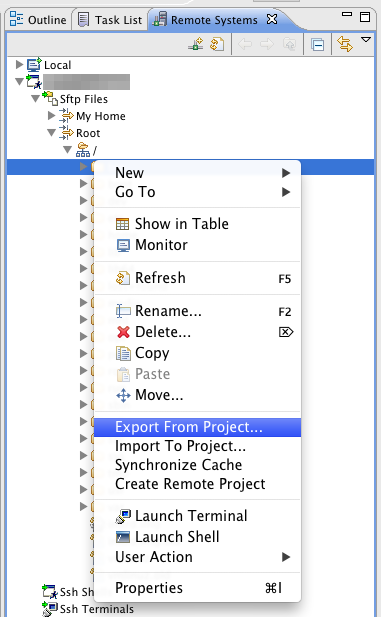
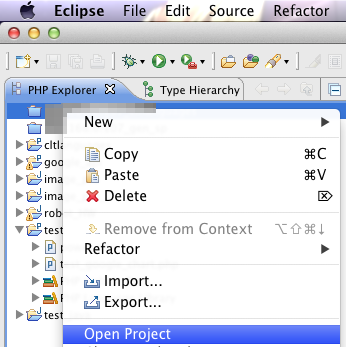
Export 後會係php Explorer 到生左個Folder 出尼右Click>Open Project就可以直接更改/新增test server / live server 上的東東
好處:即改
壞處:一錯你就gg,同埋無左Shift Click trace function 既功能,所以有好有唔好喇
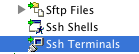
另外Remote Systems 有SSH Terminals, 以後可以一個eclipse window個晒d野,唔野又開WINSCP,又putty 開百幾個windows -.-"
一向好用又免費的IDE相信Eclipse一定係其中一個,
如果想透過Eclipse develop php webapps, 那就先要install plugin
PHP Developemt(PDT)
先到Help>Install New Software
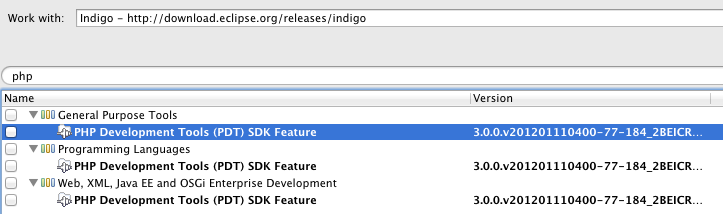
Work With通常揀返自己既eclipse Version, search php, install either one of them o.o" DONE

Recent Comments