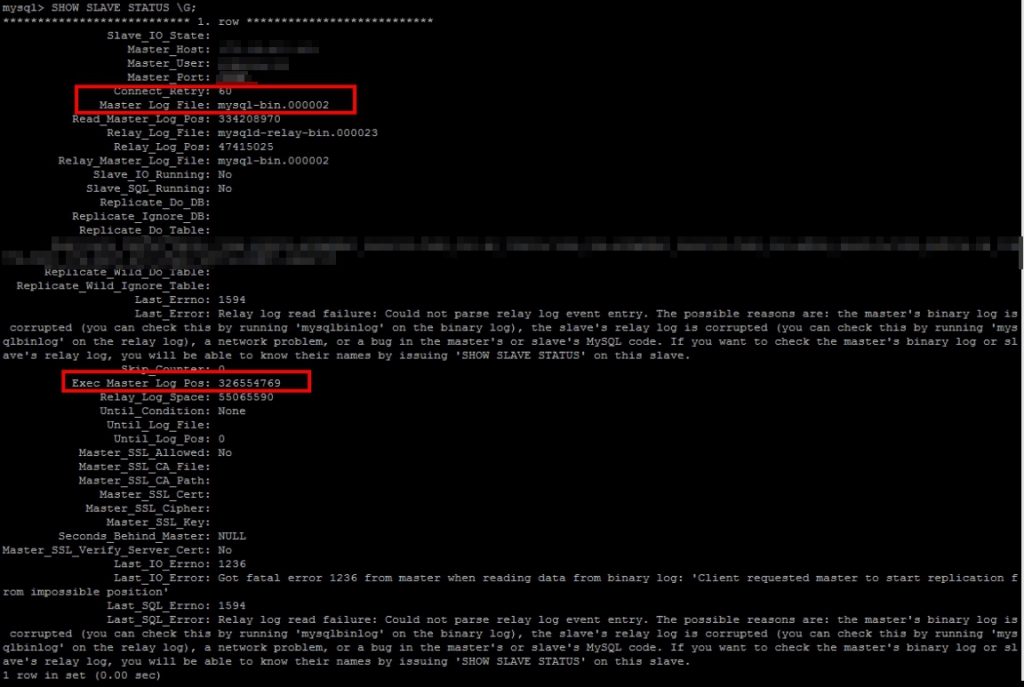
如果Slave DB出現以下情況。

Relay log read failure: Could not parse relay log event entry. The possible reasons are: the master's binary log is corrupted (you can check this by running 'mysqlbinlog' on the binary log), the slave's relay log is corrupted (you can check this by running 'mysqlbinlog' on the relay log), a network problem, or a bug in the master's or slave's MySQL code. If you want to check the master's binary log or slave's relay log, you will be able to know their names by issuing 'SHOW SLAVE STATUS' on this slave.

先記住Master_Log_File,Exec_Master_Log_Pos
stop slave;

CHANGE MASTER TO MASTER_HOST='{SERVERIP}', MASTER_PORT={PORT}, MASTER_USER='{USER}', MASTER_PASSWORD='{PASSWORD}' ,  master_log_file='mysql-bin.000002' , master_log_pos=326554769 ;
Query OK, 0 rows affected (0.07 sec)

START SLAVE;

SHOW SLAVE STATUS \G;
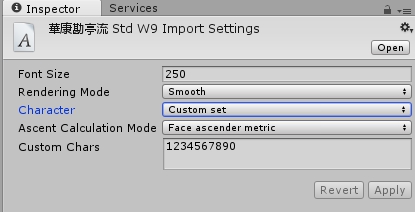

 

如只會顯示1234567890

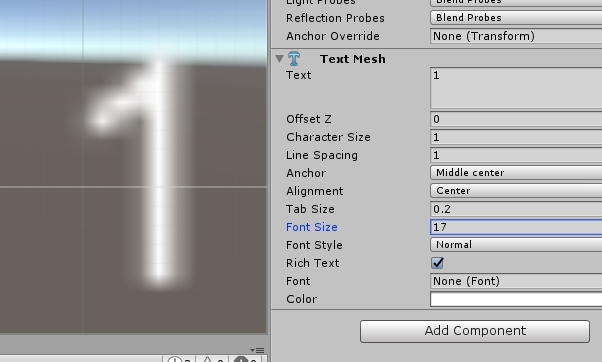
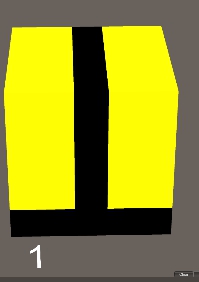
Fixing the 3d text always on top layer problem,

左邊係我地常出現的情況,右手邊係我地想要既情況

以下方法不能使用預設FONT,要import 字型入去,我用勘亭流做例子

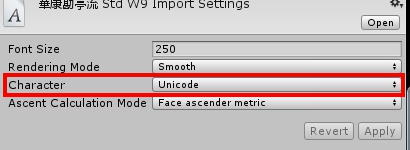
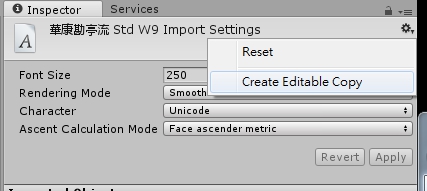
將字型IMPORT入去ASSET內,在inspector的character 轉成unicode,再Create editable copy

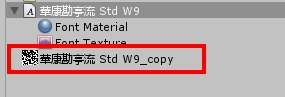
甘生了一個字型texture出來

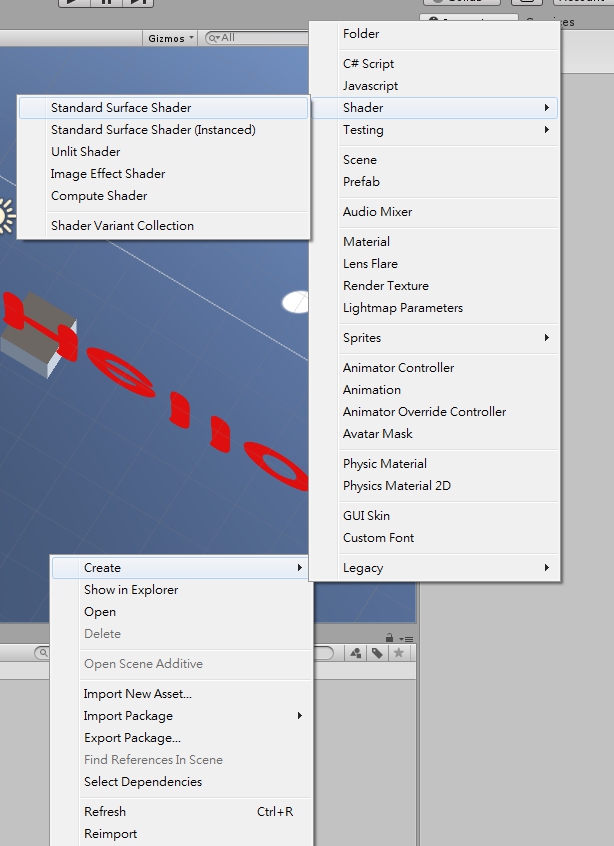
之後在ASSET Folder Create 新既shader

Shader "GUI/3D Text Shader" {
	Properties{
		_MainTex("Font Texture", 2D) = "white" {}
	_Color("Text Color", Color) = (1,1,1,1)
	}

		SubShader{
		Tags{ "Queue" = "Transparent" "IgnoreProjector" = "True" "RenderType" = "Transparent" }
		Lighting Off Cull Off ZWrite Off Fog{ Mode Off }
		Blend SrcAlpha OneMinusSrcAlpha
		Pass{
		Color[_Color]
		SetTexture[_MainTex]{
		combine primary, texture * primary
	}
	}
	}
}

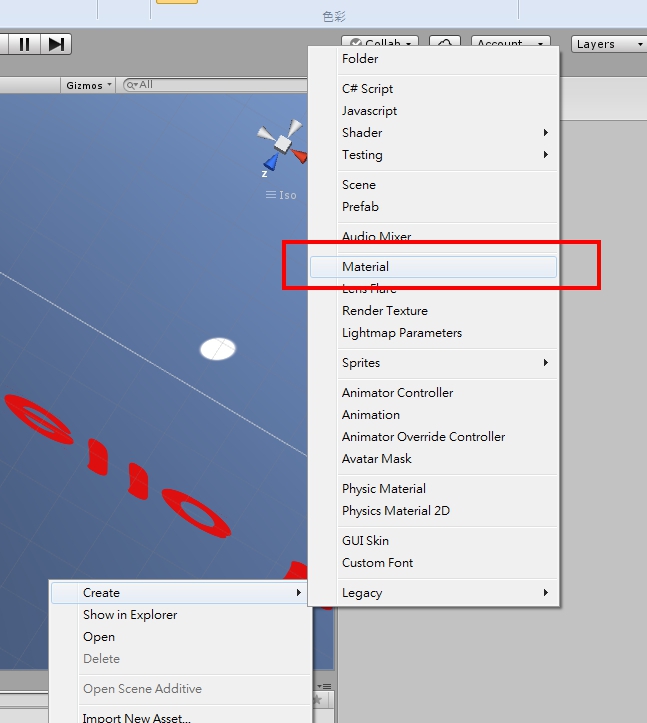
之後在ASSET Folder Create 新既Material

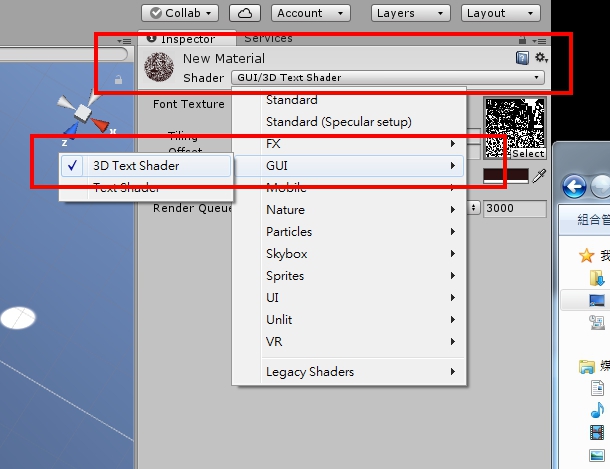
New Material 內Shader部份用GUI->3D Text shader 即係剛剛加入的Shader

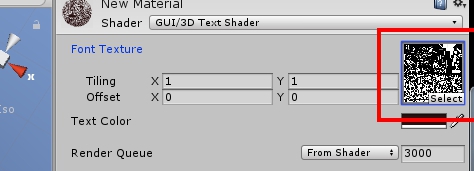
然後Texture 加入剛剛做出來的Font Texture

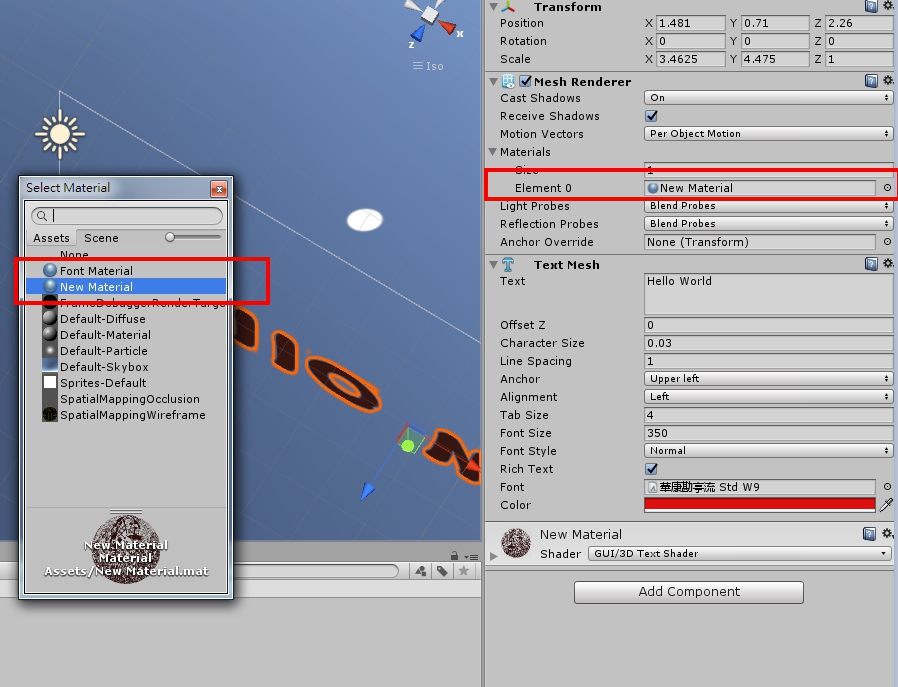
然後去3D Text Object , Mesg Renderer內materials 由Font Texture 改為new material,甘就可以了

1491965784579

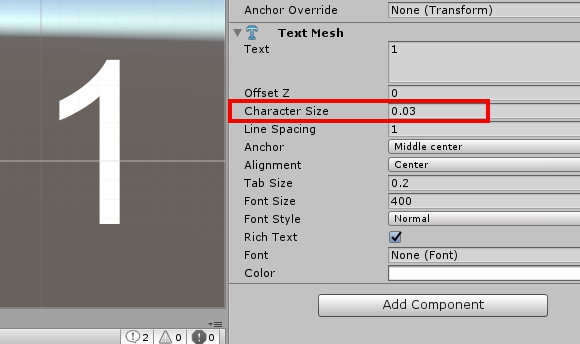
Set the character Size to 0.03 and increase the Font size

1491965592307
1491965603898

yum remove mariadb mariadb-server

rm -rf /var/lib/mysql 

rm /etc/my.cnf

Optional step: rm ~/.my.cnf


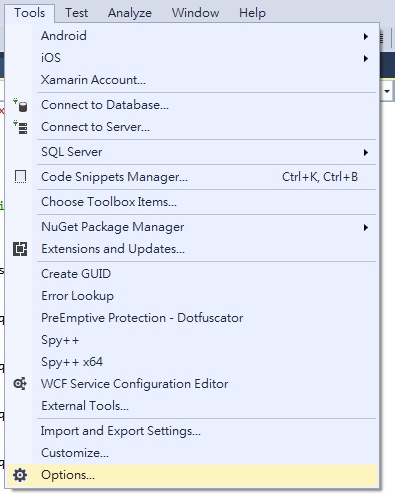
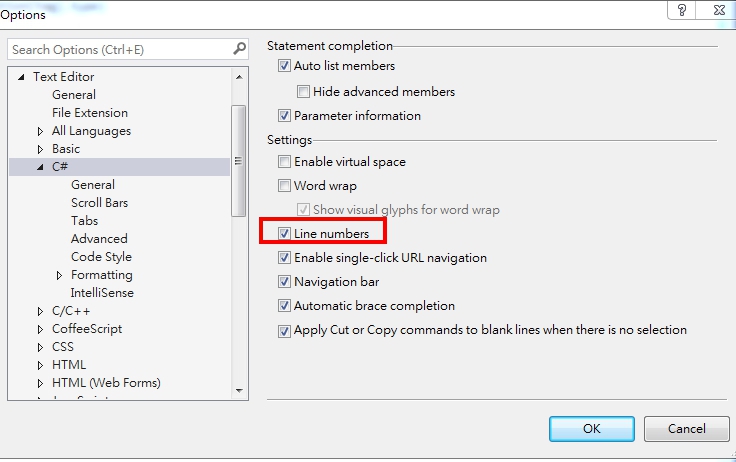
Go to options->Text Editor->C#->Setting(Show Line number)

1490246361695 1490246335934

~ Centos install node.js ~

Post on (2017.04.01) |centos, node.js | No Comments
sudo yum install nodejs
node --version

npm install -g npm-autoinit
npm config set onload-script npm-autoinit/autoinit
npm install socket.io


~ centos7 install jdk ~

Post on (2017.03.31) |centos, java | No Comments
yum install wget

wget --no-cookies --no-check-certificate --header "Cookie: gpw_e24=http%3A%2F%2Fwww.oracle.com%2F; oraclelicense=accept-securebackup-cookie" "http://download.oracle.com/otn-pub/java/jdk/8u51-b16/jdk-8u51-linux-x64.rpm"

rpm -ivh jdk-8u45-linux-x64.rpm


yum install gcc php70w-devel

git clone https://github.com/krakjoe/pthreads.git
cd pthreads
zts-phpize
./configure --with-php-config=/usr/bin/zts-php-config
make

cp modules/pthreads.so /usr/lib64/php-zts/modules/
nano /etc/php-zts.d/pthreads.ini
extension=pthreads.so

Testing for Thread Safety enable

/etc/php-zts.d/pthreads.ini

Should see those thing below
Thread Safety => enabled
pthreads

Execute server-side Script

zts-php -q ws_server.php

instead of using 
php -q 


預設1024 data lenght 

nano my.cnf

[mysqld]

group_concat_max_len=200000


« Previous Page | Next Page »

Smiley face

April 2026
S M T W T F S
 1234
567891011
12131415161718
19202122232425
2627282930  
晴晴兔的少女回憶 =3=~ All rights reserved.